
 University Administration: Computer Center provides the University Administrators with many computer systems, such as an online registration system, a budget management system, a personnel system, a salary system, an MIS system for the Rector office.
Education: In an academic year, Computer Center usually serves more than 5,000 students who are both graduate and undergraduate students with computer facilities.
Research: Each year, more than 400 lecturers, student, and the university government officials use computer facilities at their offices for their research projects.
Provide advanced technology and computer services for the public: Computer Center has a policy to encourage the public to use computers. This is done via training programs and consultation services. The training programs and/or seminars are run by the cooperative of Computer Center and the Kasetsart Compaq Computer Education Center. The analysis and computer system design are included in the consultation services.
University Administration: Computer Center provides the University Administrators with many computer systems, such as an online registration system, a budget management system, a personnel system, a salary system, an MIS system for the Rector office.
Education: In an academic year, Computer Center usually serves more than 5,000 students who are both graduate and undergraduate students with computer facilities.
Research: Each year, more than 400 lecturers, student, and the university government officials use computer facilities at their offices for their research projects.
Provide advanced technology and computer services for the public: Computer Center has a policy to encourage the public to use computers. This is done via training programs and consultation services. The training programs and/or seminars are run by the cooperative of Computer Center and the Kasetsart Compaq Computer Education Center. The analysis and computer system design are included in the consultation services.

 Microcomputer technology and operating systems;
Computer networking and network applications;
The use of microcomputer software e.g. database, spreadsheets, statistics, word processing, presentation and graphics;
Network and computer devices maintenance;
Network administration and UNIX operating system.
Schoolstudent: a permission from an adviser, a school principal , and a faculty dean.
Kasetsart University student: a permission from an adviser, a head of department, and a faculty dean.
Kasetsart University university lecturer: a permission from a head of division/department and a director/faculty dean.
A student card or a government official card.
A 1" photo 1 photo.
Microcomputer technology and operating systems;
Computer networking and network applications;
The use of microcomputer software e.g. database, spreadsheets, statistics, word processing, presentation and graphics;
Network and computer devices maintenance;
Network administration and UNIX operating system.
Schoolstudent: a permission from an adviser, a school principal , and a faculty dean.
Kasetsart University student: a permission from an adviser, a head of department, and a faculty dean.
Kasetsart University university lecturer: a permission from a head of division/department and a director/faculty dean.
A student card or a government official card.
A 1" photo 1 photo.
4. Rules of using a Computer Room :
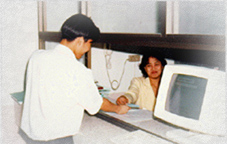 He/she must dress up properly regarding to Kasetsart University regulation.
He/she must not make a noise in the computer room.
He/she cannot bring food or drink to the computer room.
He/she cannot play games or open unpolite photos.
When time is up, he/she must leave the computer room within 15 minutes.
He/she cannot bring other people whom does not make a reservation to the computer room.
Do not act any harm which affects to the service of the Office of University Computer Service.
He/she must dress up properly regarding to Kasetsart University regulation.
He/she must not make a noise in the computer room.
He/she cannot bring food or drink to the computer room.
He/she cannot play games or open unpolite photos.
When time is up, he/she must leave the computer room within 15 minutes.
He/she cannot bring other people whom does not make a reservation to the computer room.
Do not act any harm which affects to the service of the Office of University Computer Service.
Note:
If his/her permission card is seized, please contact to get it back at a Head of Computer Service or at the 2nd floor counter at a working time.
If his/her card is lost, please contact at the 3rd floor counter to get a new account and he/she must pay for 30 bahts fee for a new account.
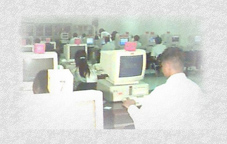 | User Category | Hour Quantity |
|---|---|---|
| Bachelor Degree Master Degree Teacher/Government Official The Laboratory of Kasetsart University Student Trainer | 81,207 2,588 2,188 5 2.568 | |
| Total | 88,556 |
| User Category | Quantity | Percent(%) |
|---|---|---|
| Outside people Teacher/Government Official Kasetsart University Student | 799 696 2,084 | 22 19 59 |
| Total | 3,579 | 100 |
| User Category | Quantity | Percent(%) |
|---|---|---|
| Bachelor Degree Master Degree Teacher/Government Official Employee and others The Laboratory of Kasetsart University Student | 8,193 2,237 2,668 713 170 | 58.60 16.00 19.08 5.10 1.22 |
| Total | 13,981 | 100.00 |
 [ Main ] |  [ About us ] |  [ Our Resources ] |  [ NontriNet ] |